
Posts

How to Choose the Right Carbon Commutator?

Choosing the right Carbon Commutator starts with understanding the machine it serves. A commutator works with carbon brushes to transfer current as a motor turns, so the parts must be compatible. Check the equipment manual, model number, and manufacturer’s specifications before comparing options. Small differences matter. Diameter, segment count, shaft fit, and operating speed can affect performance. A part that looks correct on a workbench may still be unsuitable for the motor.

Consider the application, too. A motor used for short, occasional runs may face different demands from one operating for hours near dust or heat. Match the brush grade and contact area to the commutator design, and confirm that the replacement suits the expected current and temperature. Look for even contact, secure connections, and a surface free from cracks or deep scoring. Ask the supplier for a datasheet when specifications are unclear; a product description alone may not answer every question. That uncertainty is worth taking seriously. In maintenance, unusual sparking, rapid wear, or uneven marks can point to a fit or operating issue, not just a poor part. Inspect the cause before replacing components again. There is no universal choice. The right Carbon Commutator is the one verified for your specific machine, operating conditions, and service requirements—not simply the cheapest or most familiar option.
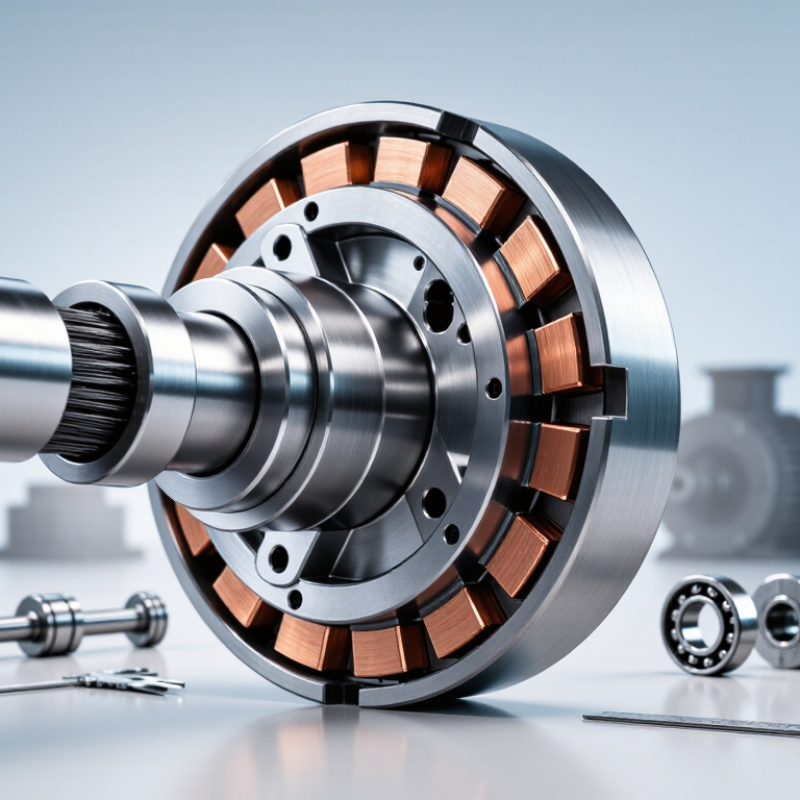
How to Choose the Right Carbon Commutator?

Identify Motor Duty, Rated Current, and Operating Environment

Start with the motor’s actual duty, not its nameplate alone. Record running hours, starts per hour, reversals, and load changes. IEC 60034-1 defines duty classes such as continuous and intermittent operation. These patterns affect commutator heating and brush wear. Short bursts matter. The International Energy Agency’s 2011 report, Energy-Efficient Electrical Motor Systems, estimates that motor systems consume about 45% of global electricity. That figure is broad, but it highlights why matching components to real operating conditions matters.

Check rated current at the motor’s normal load, then consider starting and overload currents. Compare current per brush path with the commutator assembly’s recommended limits; a single total-current figure can hide uneven sharing. Choose a grade suited to the motor’s speed and electrical load. Then assess the environment: dust can abrade contact surfaces, while moisture, oil, and high temperatures can disturb contact and accelerate wear. IEC 60034-5 provides enclosure protection classifications, but an IP rating alone does not describe every contaminant. Inspect the commutator after operation, too. Clean-looking parts can still show uneven wear, and that detail is easy to miss.

Match Brush Grade to the Typical 8–12 A/cm² Current-Density Range

For a carbon commutator, begin by checking the machine’s expected current density, not just its total current. Divide the current carried by a brush by its effective contact area to estimate A/cm². The 8–12 A/cm² range is a useful reference for many applications, but it is not a universal target. Brush grade, commutator speed, load variation, cooling, and operating conditions all influence performance. That number matters.

Choose a grade whose supplier data supports the machine’s working range and duty cycle. A suitable grade should balance electrical conductivity, friction, film formation, and wear. After installation, inspect the contact surface under steady operating conditions. A consistent, thin film is generally preferable to heavy streaking, rough patches, or persistent sparking. Watch the surface. Uneven wear can point to poor seating, vibration, contamination, or current sharing problems—not necessarily the wrong grade alone. I would treat 8–12 A/cm² as a starting point, not a guarantee; real machines can behave differently from a neat calculation. Record brush wear, temperature, load, and visible commutator changes over time, then compare those observations with the grade’s technical limits before making adjustments.

Check Brush and Holder Dimensions Against IEC 60136

How to Choose the Right Carbon Commutator?

Check Brush and Holder Dimensions Against IEC 60136

A carbon brush can look right and still bind in its holder. Check the brush width, thickness, and length against the dimensions specified for the relevant IEC 60136 size. Confirm the standard edition and equipment drawing; do not assume every machine uses the same fit. Small differences matter.

Use clean calipers to measure a new brush across several points. Check the holder’s internal width and depth, too. Dust, burrs, and worn edges can distort readings or stop the brush sliding freely. It should move without sticking, but excessive side play can cause uneven contact. Measure twice.

Compare the measured values with the applicable tolerances, rather than relying on nominal dimensions alone. A common oversight is checking the brush but not the holder after service wear. Also verify lead position and brush orientation against the machine drawing. IEC dimensions help establish fit; they do not, by themselves, confirm spring pressure, commutator condition, or operating suitability. That part takes a separate inspection.

How to Choose the Right Carbon Commutator? - Check Brush and Holder Dimensions Against IEC 60136

Dimension or Check What to Measure How to Check Selection Guidance
Brush width The brush dimension across the commutator surface, as identified on the equipment drawing. Measure the carbon body with a suitable caliper or micrometer. Compare the result with the specified nominal dimension and tolerance. Match the dimension shown for the machine and brush-holder type. Do not assume that a similar-looking brush is interchangeable.
Brush thickness The brush dimension across the holder slot, perpendicular to brush width. Measure the carbon body at several points. Check for uneven wear, damage, or variation that could affect movement in the holder. Confirm the specified size and tolerance against the applicable drawing and IEC 60136 dimension series.
Brush length The carbon length from the contact face to the back of the brush, excluding any separately specified terminal or shunt details. Measure the remaining brush length and compare it with the equipment maker’s replacement limit and the original specification. Choose a length that fits the holder and provides the required operating and wear allowance for the application.
Holder internal dimensions The clear internal width and thickness of the brush guide. Measure the guide opening at more than one point. Check for burrs, distortion, deposits, or wear that could restrict brush travel. Compare holder dimensions with the brush dimensions and the specified running clearance; use the machine drawing or applicable standard dimensions.
Running clearance The difference between the holder’s internal dimension and the corresponding brush dimension. For each direction, calculate: holder internal dimension − brush dimension. Assess the result against the equipment specification. Clearance must allow free brush movement without excessive looseness. There is no single clearance value suitable for every brush and holder.
Free movement and alignment Brush travel through the holder and alignment of the brush face with the commutator. With the machine safely isolated, verify that the brush moves freely in the guide and is not tilted or obstructed. Correct sticking, misalignment, or a damaged holder before fitting a replacement brush.
Edge shape and contact face Chamfers, radii, grooves, and the curvature of the contact face, where specified. Compare the brush profile with the drawing or the removed brush, and inspect for chipped or cracked edges. Use the specified profile. A brush that has the correct width and thickness may still be unsuitable if its edge or contact-face shape differs.
Illustrative size notation A brush marked 10 × 6 × 20 mm may denote width × thickness × length, depending on the supplier’s convention. Confirm the order of dimensions on the drawing or product specification; notation conventions can vary. This is an example of dimensional notation only, not a universal IEC 60136 size or a recommendation for a particular machine.

Important: IEC 60136 covers brush and brush-holder dimensions, but the correct size, dimensional tolerances, and permitted clearance depend on the applicable dimension series and machine design. Confirm the standard edition, drawing, and equipment requirements before ordering.

Verify Commutator Speed and Contact Limits in the Grade Datasheet

How to Choose the Right Carbon Commutator?

Verify Commutator Speed and Contact Limits in the Grade Datasheet

A carbon grade that works at low speed may wear quickly in a faster machine. Check the datasheet’s maximum peripheral speed, not just the motor’s revolutions per minute. Commutator diameter affects surface speed, so compare the rating with the actual operating dimensions. Also review contact pressure and current limits. A part can fit neatly yet run too hot under load. Small details matter.

Tips: Record the motor’s speed, commutator diameter, current, and brush pressure before comparing grades. Check whether the listed limits describe continuous or intermittent operation. If the datasheet is unclear, ask the supplier to confirm the test conditions. Don’t guess.

Treat the grade sheet as a starting point, not a guarantee. Dust, vibration, temperature, and uneven contact can change performance in service. Look for notes on suitable operating conditions and inspect the commutator surface after installation. A smooth, even contact pattern is useful; localized darkening or rapid wear deserves attention. It is easy to focus only on speed. I’ve seen that miss the real constraint: contact load. Allow a sensible margin below the stated limits, especially where operating conditions vary.

Compare Wear, Film Formation, and Maintenance Requirements for the Application

How to Choose the Right Carbon Commutator?

Compare Wear, Film Formation, and Maintenance Requirements for the Application

Choosing a carbon commutator means matching brush behavior to the motor’s actual working conditions. Check the load, speed, current, humidity, and how often the equipment starts and stops. These factors affect wear and the film that forms on the commutator. A thin, even film is generally desirable, but its appearance alone cannot confirm healthy operation. Record brush length and commutator condition during inspections, then compare changes over time. Small differences matter.

Tips: Note the operating hours, load, and visible wear at each check. Look for uneven brush faces, heavy dust, grooves, or a patchy film. Keep records. They help separate normal wear from a change in operating conditions.

A softer carbon grade may wear faster but can help maintain contact in some applications; a harder grade may last longer under suitable conditions. Neither is automatically better. Follow the equipment maker’s specifications, and consider whether routine cleaning and brush replacement are practical at your site. If wear is uneven, inspect alignment, vibration, and surface condition before changing grades. A clean-looking commutator can still hide a problem. It is easy to blame the carbon too soon.